 English
 Views: 0 Author: Site Editor Publish Time: 2026-05-27 Origin: Site


A practical guide for retail shelf digital signage
1. Basic Comparison
Feature | LCD Screen | LED Screen |
Power Supply | Built-in | External |
CMS System | Built-in | External(Sending Box) |
Lifespan | 50,000 hours | 100,000 hours |
Brightness | 350-500nits | 600+nits |
Best for | Single-screen Shelves | Multi-screen synchronized Shelves |
Synchronization | Limited | Excellent |
Unit Cost (single screen) | Lower | Higher |
Total Cost (4–6 screens per shelf) | Higher | Lower |
2. Brightness: Why It Matters
Key takeaway: LED screens are much brighter and perform better in environments with strong ambient light, sunlight, or skylights. LCD screens work well in standard indoor lighting conditions.
3. Lifespan: Long-Term Value
Operation Mode | LCD (50,000 hours) | LED (100,000 hours) |
24/7 operation | ~5.7 years | ~11.4 years |
12 hours/day | ~11.4 years | ~22.8 years |
8 hours/day | ~17.1 years | ~34.2 years |
Key takeaway: If your screens run long hours daily, LED's longer lifespan means fewer replacements and lower long-term costs.
4. When to Choose LCD Screen for Shelf
✅ Choose LCD Display if:
- You need only 1 screen per shelf
- You want a plug-and-play solution
- You prefer no external components
- Your store has standard indoor lighting (not too bright)
- Daily operation hours are moderate
- Lower upfront cost is your priority
Example: A standalone shelf display in a well-controlled indoor lighting environment.
5. When to Choose LED Screen for Shelf
✅ Choose LED Display if:
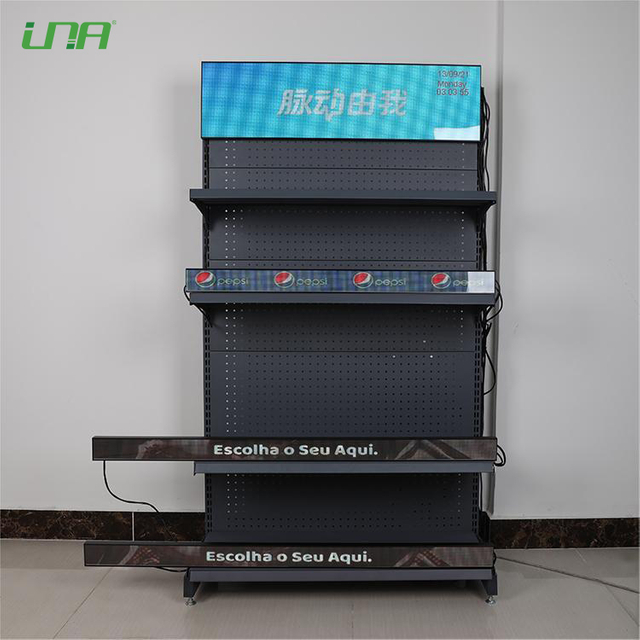
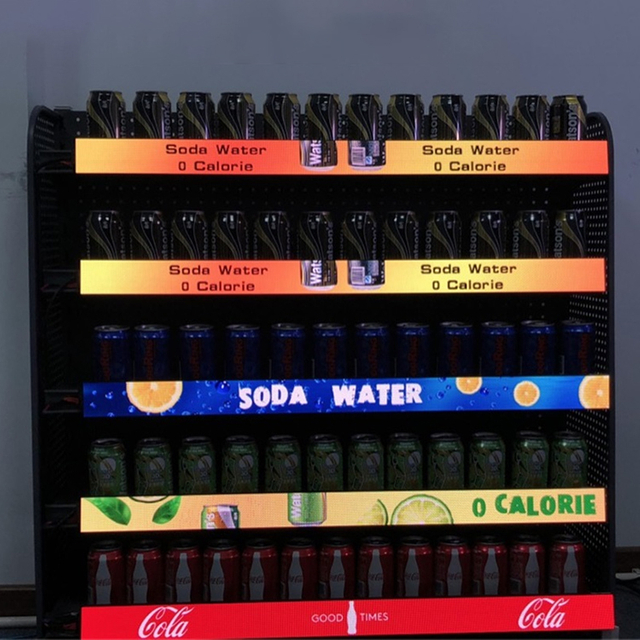
- You need 4–6 screens on the same shelf unit
- You want all screens to play the same video or image simultaneously (synchronization required)
- Your store has bright ambient light (skylights, windows, or high-intensity lighting)
- You need better visibility from a distance or angle
- You prefer lower average cost per screen (shared power supply & sending card)
- Your store runs screens long hours every day (better lifespan value)
Example: A long retail shelf near a window or under skylights, showcasing promotions with bright, synchronized content.
6. Synchronization: Why It Matters
Without good synchronization, multiple screens playing the same content at slightly different times looks unprofessional and confuses customers.
LED screens are designed to sync perfectly using one sending card for multiple screens.
LCD screens are not optimized for multi-screen sync.
7. Cost Comparison (Real Scenario)
Scenario | LCD Total Cost | LED Total Cost | Winner |
1 screen per shelf | Lower | Higher (needs external parts) | LCD Display |
4-6Screens sharing 1 power supply + 1 sending card | Higher (4-6built-in Power supply & Systems) | Lower (1 External Power supply & System) | LED Display |
10+ years of use | Replace once or more | No replacement needed | LED Display |
8. Quick Decision Flowchart
How many screens per shelf?
│
├── 1 screen → CHOOSE LCD (if standard indoor light)
│ or LED (if very bright environment)
│
└── 4–6 screens → Do they need to sync?
│
├── No → LCD is possible but not optimal
│
└── Yes → CHOOSE LED
│
├── Bright environment? → LED is required
│
└── Run >12 hours/day? → LED is even better
9. Summary Recommendation Table
Your Scenario | Recommended | Key Reasons |
Single screen, standard indoor light | LCD Screen | Simple, all-in-one,lower upfront cost |
Single screen, bright environment(skylights) | LED Screen | Higher brightness (600+ nits) needed |
4–6 screens with synchronization | LED Screen | Perfect synchronization, lower system cost for multiple screens |
Long daily operation (24/7 or 18/7) | LED Screen | 100,000 hrs vs 50,000 hrs lifespan |
11. Need More Help?
Tell us:
- How many screens per shelf?
- Do they need to play the same content at the same time?
- How many hours per day will they run?
- Is the shelf near windows, skylights, or in a very bright area?
We can then recommend the right solution with a clear cost breakdown, lifespan projection, and brightness assessment.
Contact us for a personalized quote.